Short answer: AI integration means choosing a real workflow, defining who owns it, connecting the right data and tools, and making the output visible enough to review. It is not the same thing as buying another AI subscription or asking a chatbot to help whenever someone remembers.
Key Takeaways
- Start AI integration with one repeated workflow, not a list of tools.
- Decide what AI can prepare, what it can draft, what it can route, and what a human must still own.
- Use proof surfaces such as a CRM field, Notion row, public URL, queue, or sent message so the work can be audited.
- Do not automate high-trust judgment until the workflow has clean inputs, clear rules, and a review loop.
- The goal is not more AI output. The goal is less owner drag, fewer missed handoffs, and better decisions.
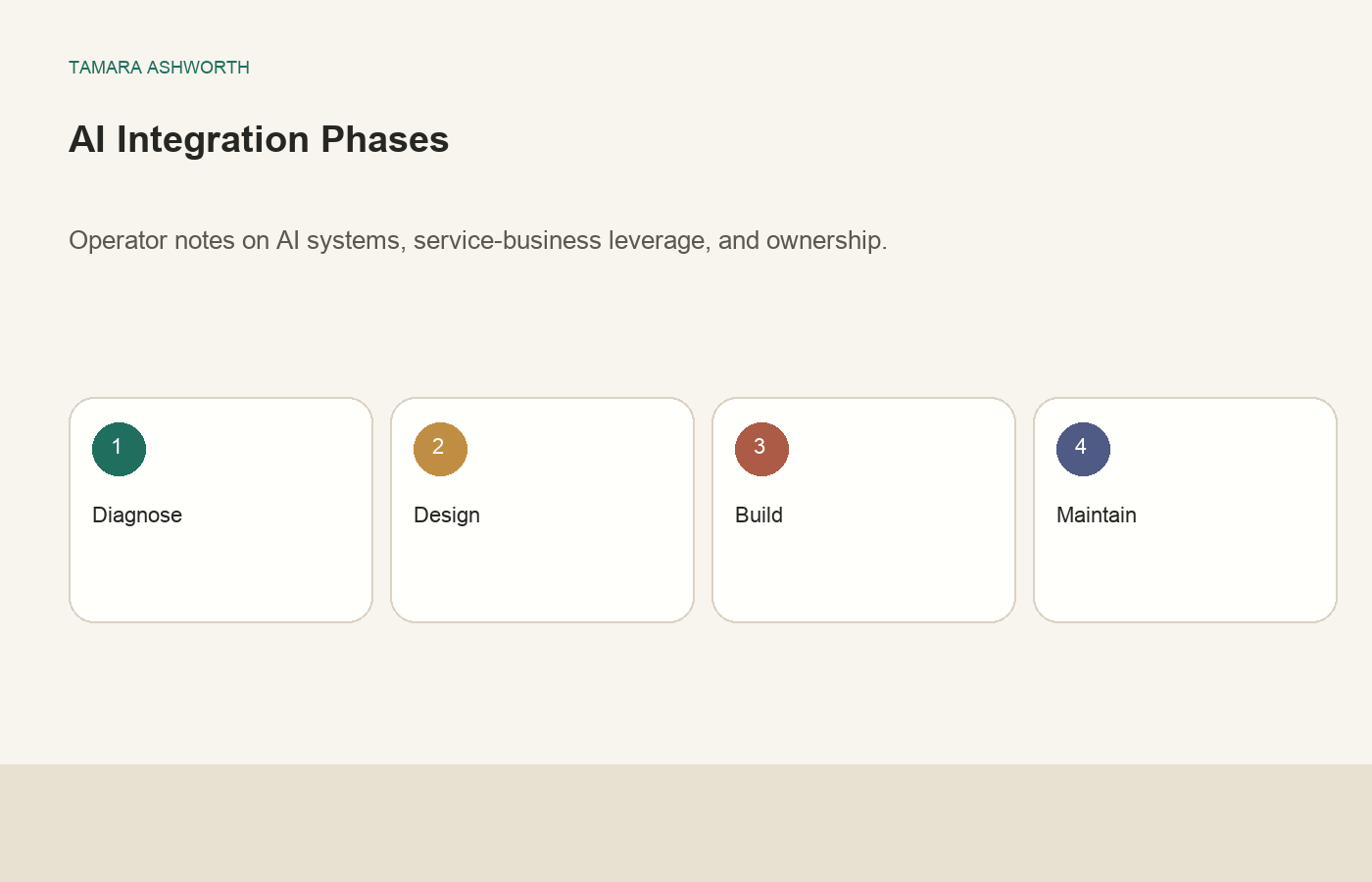
What AI Integration Actually Means
AI integration sounds like a technology project, but in a small business it is usually an operating project. The business already has work moving through inboxes, spreadsheets, calls, calendars, CRMs, proposal drafts, folders, and follow-up notes. Some of that work is repetitive. Some of it is judgment-heavy. Some of it is important but constantly late because the owner is the bottleneck.
The purpose of AI integration is to connect AI to the parts of that work where it can create leverage without taking over judgment it has not earned. That might mean summarizing a call, drafting a reply, preparing a proposal outline, screening a lead, cleaning a contact record, turning one approved idea into a post, or sending an internal reminder when proof is missing.
The mistake is treating AI integration as a software shopping trip. A new tool can help, but only if the workflow is clear. If the business does not know what the input is, who reviews the output, what the next action should be, and where proof lives, the tool will create more surface area to manage. The result is often a pile of disconnected drafts and dashboards instead of an operating system.
That is why I start with workflow ownership. Before choosing the model or platform, I want to know what the AI is allowed to do and what it is not allowed to do. I use the same thinking in my AI workflow ownership map: AI can help with preparation, organization, and low-risk execution, but humans still own trust, judgment, standards, and final accountability.
The Operator Test Before You Add AI
Before I integrate AI into a workflow, I ask whether the workflow is already understandable without AI. If the current process is invisible, undocumented, or constantly changing in someone's head, AI will not fix it. It will simply move the confusion faster.
A useful workflow has a defined input. That input might be a form submission, voicemail transcript, sales call, customer email, invoice, intake sheet, support ticket, calendar event, or content idea. If the input changes every time, the integration needs a human review stage first.
A useful workflow has a defined output. The output could be a draft reply, summary, score, task, reminder, CRM update, content draft, lead qualification note, or decision memo. If nobody can describe what a good output looks like, the system cannot be evaluated.
A useful workflow has an owner. That does not mean the owner does every step. It means someone is accountable for the standard. If the AI drafts a reply, someone owns the voice and promise. If the AI scores a lead, someone owns the scoring rubric. If the AI prepares a deal screen, someone owns the investment judgment.
A useful workflow has a proof surface. This is where many AI projects fail. A chat response is not proof. A proof surface is a place the business can inspect later: a CRM note, a Notion row, a sent email, a public URL, a queue status, a calendar entry, a dashboard line, or a log. If the result cannot be found, the system is not integrated yet.
| Question | Good signal | Risk signal |
|---|---|---|
| What starts the workflow? | A clear form, inbox, call, queue, or database event | Someone remembers to ask AI when they feel behind |
| What should AI produce? | A reviewable draft, summary, score, or next action | A vague answer with no place to go |
| Who owns the standard? | A person is named for quality, tone, and exceptions | The tool becomes the default decision maker |
| Where does proof live? | CRM, Notion, calendar, public URL, queue, or log | The only evidence is a chat history |
Start With the Bottleneck, Not the Tool
The first integration should come from a real bottleneck. In a founder-led business, good candidates are usually easy to spot because they cause the same pain every week. Leads wait too long for replies. Proposals sit half-written. Meeting notes never turn into tasks. The owner keeps re-answering the same customer questions. Content ideas get captured but never published. A team member waits for context before doing work the owner could have packaged in five minutes.
Those are better starting points than abstract goals like "use AI more" or "automate marketing." The bottleneck gives the project a business reason. It also gives the system something to measure. Did response time improve? Did review time drop? Did fewer leads fall through? Did more posts go live with public proof? Did the owner spend less time gathering context?
This is the same practical direction I use in how to integrate AI into a small business. The first workflow should be small enough to finish, important enough to matter, and visible enough to inspect.
For example, a service business might start with inbound lead review. The AI can read the form submission, summarize the need, identify missing fields, draft a first reply, and create a CRM note. A human still decides whether the lead is a fit, what to promise, and how to handle edge cases. That is integration because the AI output lands inside the workflow where the business already works.
A consulting business might start with post-call follow-up. The AI can summarize the call, list open decisions, draft the recap email, update the opportunity stage, and remind the owner if no reply goes out by the next morning. The owner still owns the relationship and the final language. The AI removes the blank-page and context-gathering tax.
The Five Levels of AI Integration
I think about AI integration in five levels. These levels keep the project from jumping straight into risky automation before the basics work.
| Level | AI Role | Human Role | Best First Use |
|---|---|---|---|
| Assist | Gather context, summarize, organize | Decide and act | Inbox triage, call notes, research packets |
| Draft | Create a first version | Edit, approve, send | Email replies, proposals, content drafts |
| Route | Classify work and move it to the right place | Handle exceptions | Lead intake, support tickets, scheduling requests |
| Recommend | Suggest next action with reasons | Accept, revise, or reject | Deal screens, sales priority, hiring screens |
| Act | Complete low-risk action inside boundaries | Audit outcomes and improve rules | Internal reminders, data updates, recurring reports |
Most businesses should begin at assist or draft. Those levels create value quickly and are easy to review. Route and recommend come after the business has stable examples and rules. Act should be reserved for work where the downside is low, the action is reversible, and the proof is obvious.
The progression matters because trust should be earned. A system that produces useful summaries for two weeks can graduate to better drafts. A system that routes leads correctly with clear exceptions can start recommending priority. A system that fails silently should not be given more autonomy. It should be repaired or narrowed.
What to Connect First
Good AI integration usually connects fewer systems than people expect. The first version should connect to the source of truth, the place where work is reviewed, and the proof surface. That is often enough.
For lead intake, the source might be a form, email inbox, call transcript, or CRM. The review surface might be a CRM opportunity or Notion queue. The proof surface might be the same CRM note plus the sent reply. For content, the source might be an approved idea or draft. The review surface might be a content queue. The proof surface is the public URL and the schedule status.
I would not start by connecting every app in the business. More integrations create more failure points, permissions issues, and confusing ownership. A focused integration can be simple: read the form, produce the summary, write the note, draft the reply, flag exceptions. Once that works, expand.
Credential handling matters here. API keys should not live in prompts, spreadsheets, or random local files. They should live in a vault or managed environment. The AI system should be designed so a missing credential stops the workflow clearly instead of pretending the task succeeded.
The same standard applies to publishing and outreach. A scheduled item is not the same as a posted item. A generated reply is not the same as a sent reply. A process exit is not the same as a public proof URL. If the business cares about the outcome, the integration has to verify the outcome.
The Review Loop That Makes AI Better
AI integration improves when the business captures corrections. If a human edits the same sentence every time, the system needs a better voice rule. If leads are scored incorrectly, the rubric needs an update. If the AI keeps missing a field, the intake form or parser needs to change. If a post says it published but the public URL is missing, the proof check needs to fail closed.
The review loop does not need to be complicated. I like simple labels: accepted, edited, rejected, escalated, missing data, wrong tone, wrong next action, proof missing. Those labels turn human correction into system improvement.
Without that loop, the owner keeps doing private cleanup. The AI appears helpful because it produces output, but the business never gets the compounding benefit. The same mistakes repeat, and the owner loses trust.
A good review loop also protects the business from over-automation. If the system is still being edited heavily, it should not be allowed to act alone. If the system handles 30 low-risk cases cleanly, it may be ready for a narrow automation step. Autonomy should follow evidence, not enthusiasm.
Where Human Judgment Should Stay
AI integration is strongest when boundaries are explicit. I do not want AI owning final judgment in high-trust moments. That includes pricing exceptions, refunds, legal language, financial decisions, hiring decisions, sensitive customer replies, seller conversations, partnership commitments, or public claims that need source proof.
AI can prepare those moments. It can summarize the history, organize the facts, identify missing information, draft a reply, or list options. But the human should decide what promise is made, what risk is acceptable, and how the relationship should be handled.
This is especially important for founder-led businesses because the founder often carries the standard. The brand voice, service promise, investment logic, customer empathy, and tolerance for risk may not be fully documented yet. AI can help extract and repeat that standard, but it should not silently invent it.
The goal is not to keep humans in every tiny task forever. The goal is to keep humans in the parts where trust and accountability live. That is the same boundary I use when deciding when to use AI instead of hiring another person. It is also why I keep a separate line around what AI should not do in real estate investing. AI can replace some execution drag. It cannot replace ownership.
A Practical 30-Day AI Integration Plan
The first 30 days should prove one workflow, not transform the whole company. Here is the plan I would use for a small business owner who wants AI to create real leverage without turning the business into a science project.
Week one is workflow selection. Pick one repeated bottleneck. Document the current path from input to output. Name the owner, the reviewer, the proof surface, and the escalation rule. Gather ten to twenty examples of real work so the system is built against reality.
Week two is the assist or draft version. The AI should read the input and produce a reviewable output. Do not start with unsupervised action. Measure whether the draft saves time after review. If it does not, improve the source context before adding automation.
Week three is proof and routing. The output should land where the business already works. That might be the CRM, Notion, a project board, a content queue, or a shared inbox. Add a status so someone can see what happened: drafted, reviewed, sent, posted, escalated, failed proof.
Week four is the improvement loop. Review the edits, failures, and exceptions. Update the prompt, intake field, rubric, SOP, or workflow rule. If the system is reliable, choose one narrow next step. If it is not reliable, reduce the scope until it is.
| Week | Focus | Proof of Progress |
|---|---|---|
| 1 | Choose one workflow and map ownership | Workflow map with input, output, owner, proof, and escalation |
| 2 | Build assist or draft output | Ten reviewed outputs with edits captured |
| 3 | Connect queue, CRM, or proof surface | Status trail showing what happened and what needs review |
| 4 | Improve rules and decide next autonomy level | Clear pass, repair, or narrow-scope decision |
How to Measure AI Integration
Do not measure AI integration by how many outputs the system creates. Output volume can be a trap. A system that writes 50 drafts nobody trusts is not integrated. A system that creates three useful summaries, moves them into the right queue, and prevents a missed follow-up is more valuable.
Better measures are practical: time saved after review, response time, missed handoffs, quality of first draft, number of escalations, number of silent failures, and owner time spent cleaning up the system. The phrase "after review" matters. If AI saves ten minutes of writing but creates fifteen minutes of checking, the workflow is not ready.
I also measure confidence. Can the owner tell what happened without opening five apps? Can a team member pick up the next action? Can the business find proof a week later? Can the system explain why it escalated instead of acting? These are integration questions, not model questions.
The strongest integrations become boring. Work enters the system, gets prepared, gets reviewed, gets logged, and either moves forward or escalates. The owner stops wondering whether it happened. The proof is visible.
Common AI Integration Mistakes
The first mistake is starting too broad. "Use AI in operations" is not a workflow. "Summarize every inbound consultation request and draft a first reply inside the CRM" is a workflow. Specificity is what makes the project buildable.
The second mistake is confusing scheduled with completed. A content post can be scheduled and still fail. A reminder can be queued and still never send. A draft can exist and still not reach the customer. Every important workflow needs outcome proof.
The third mistake is skipping human ownership. If nobody owns the standard, AI output drifts. It may sound polished while making the wrong promise, using the wrong tone, or solving the wrong problem.
The fourth mistake is over-connecting too early. A small, reliable integration beats a fragile system that touches every app. Expand after the first workflow is stable.
The fifth mistake is letting the system hide failures. If a credential expires, a public URL fails, an API returns an error, or a required field is missing, the workflow should say so plainly. A false green status is worse than a red one because it teaches the owner not to trust the system.
FAQ
What is AI integration?
AI integration is the process of connecting AI to a real business workflow so it can prepare, draft, route, recommend, or complete work with clear ownership and visible proof.
What is the best first AI integration for a small business?
The best first integration is usually a repeated bottleneck with a clear input and reviewable output, such as lead intake summaries, call recap drafts, proposal outlines, content drafts, or support ticket triage.
How do I know if an AI workflow is ready to automate?
It is ready when the input is clear, the output is consistently useful, the human owner is named, exceptions are defined, and the result lands in a proof surface the business already checks.
Should AI be allowed to send customer messages automatically?
Only in narrow, low-risk cases with clear language, clear approval rules, and proof. Sales promises, upset customer replies, pricing exceptions, and sensitive relationship messages should stay human-reviewed.
What tools do I need for AI integration?
You usually need fewer tools than expected: a source of truth, an AI model or workflow layer, a review surface, and a proof surface. The workflow design matters more than the tool list.
How long does AI integration take?
A useful first workflow can often be built and tested in a few weeks. Broader operating systems take longer because the business has to document standards, review failures, and decide where autonomy is appropriate.
Build the Workflow Before the Automation
If AI feels scattered inside your business, the next step is probably not another tool. It is a workflow map. Pick one repeated bottleneck, define the owner, decide what AI can do, choose the proof surface, and run the workflow through a review loop.
That is the difference between experimenting with AI and integrating it. Experimenting produces isolated outputs. Integration changes how work moves through the business.
If you want help deciding where AI should sit inside your company, start with the bottleneck. The right integration is the one that removes real owner drag without giving away the judgment that makes the business trustworthy.