AI Search Summary
- AI business integration means redesigning a workflow so AI handles repetitive execution while a human keeps judgment, brand standards, and final accountability.
- The safest first project is usually a repetitive internal workflow: reporting, first-draft content, inbox triage, lead routing, or follow-up drafting.
- The wrong first project is a high-stakes customer-facing workflow with no human review gate.
- A consultant should help map the workflow, choose the right automation boundary, build the review loop, and measure whether the system actually saves time or improves revenue.
| AI integration question | Practical answer |
|---|---|
| What should be automated first? | Repetitive work with clear inputs, clear output quality, and a human who can review before anything customer-facing goes live. |
| What should stay human? | Sensitive relationships, final legal or financial judgment, strategic decisions, negotiation, and anything where trust is the product. |
| What should be measured? | Time saved, revision rate, customer issues prevented, speed to follow-up, and whether the owner spends more time on revenue work. |
| When should you hire help? | When workflows cross multiple tools, require APIs, affect customers, or have already consumed too much owner time without a stable result. |
Implementation Cluster
- Use the AI integration roadmap when you need the step-by-step sequence.
- Review the AI automation mistakes before removing human review or buying more tools.
- Read human-in-the-loop AI systems when the workflow touches customers, money, or reputation.
- For help mapping the right first workflow, see AI implementation consulting.
Short answer: AI integration for small business works when you pick one repetitive, high-volume task, automate it with a human review gate, measure the result, and only then expand. Most business owners skip the middle two steps. That is where the chaos starts.
When I decided to build AI into my businesses after exiting my marketing agency, I made every mistake available to me. I tried to automate too much at once. I picked the wrong starting points. I let AI run unsupervised tasks that needed human oversight. And I spent weeks troubleshooting instead of selling.
I have since rebuilt that into something that actually works. I now run AI systems across three businesses simultaneously: FlowSystem AI, a service-business AI receptionist platform; Capital Partner Loans, a real estate investor lending brand; and my personal consulting practice. The same framework runs all three. And the thing that makes it work is also the least exciting answer: start small, build review into everything, and expand only when the first step is genuinely working.
This is not an AI vendor pitch. I am not trying to sell you software. I am sharing the actual roadmap I followed, including where it went sideways, so you can spend less time troubleshooting and more time scaling.
Key Takeaways
- AI integration works best when you automate one high-volume, repetitive task first and prove it before expanding.
- Most small business AI failures happen because owners automate the wrong things, skip human review gates, or try to do everything at once.
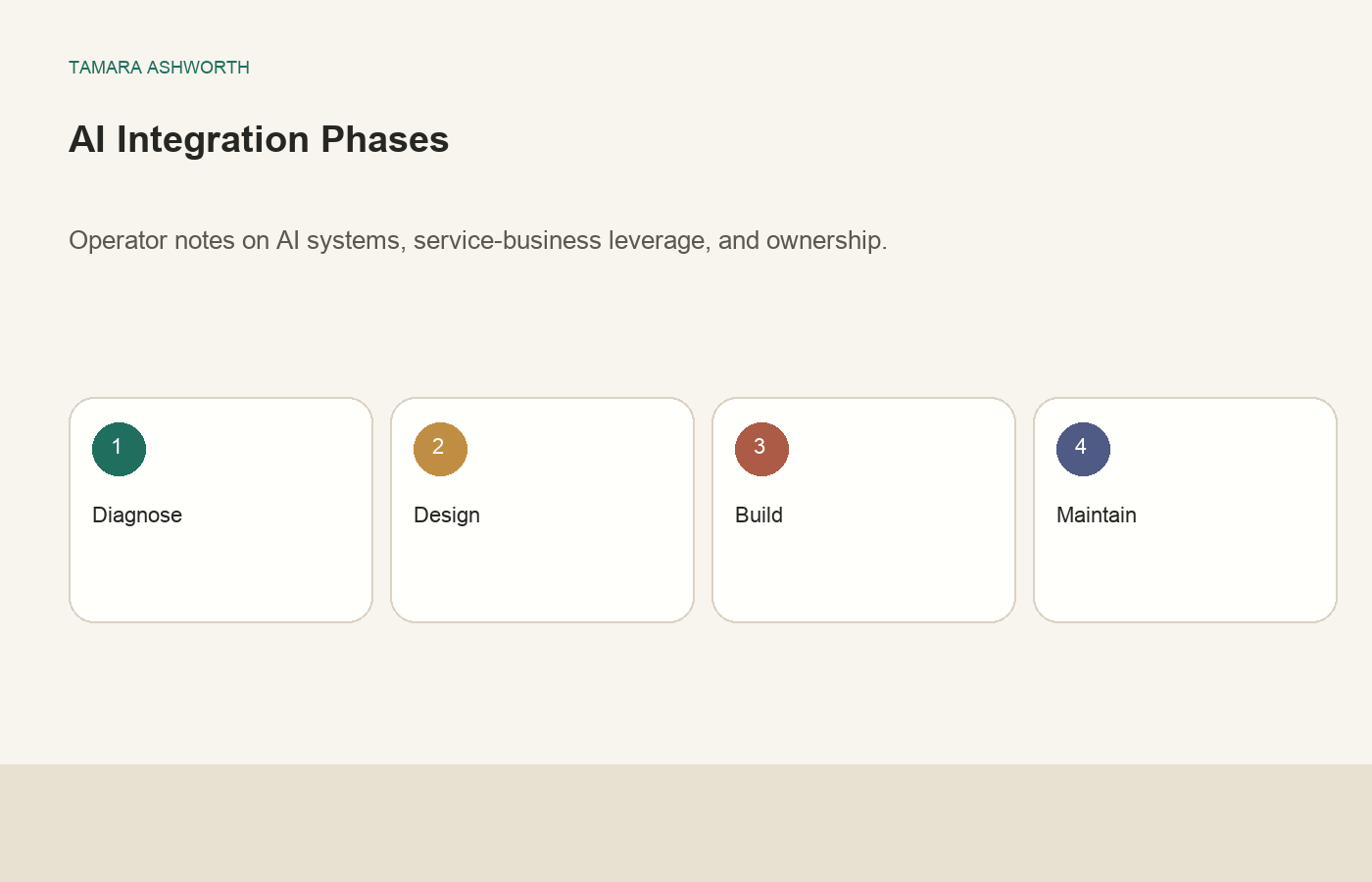
- The four stages that work: audit your repetitive layer, pick one workflow, build in human review, measure before expanding.
- AI does not know your business context, your customers, or your brand standards unless you teach it. That teaching is a one-time investment that compounds over time.
- Successful AI integration means you still need a human expert steering the system. The goal is to be that expert, or hire one.
What "AI Integration" Actually Means for a Business Owner
Before anything else, I want to reframe what AI integration actually is, because the term has been so badly abused by vendors and consultants that most business owners either think it means buying one SaaS tool or rebuilding their entire operation from scratch.
It means neither of those things.
AI integration, at the practical level for a small business, means identifying the tasks in your operation that are repetitive, rule-based, and high-volume, then building systems where an AI handles the execution of those tasks while a human maintains direction, oversight, and quality control.
That is it. No magic. No replacement of your team. No "set it and forget it." It is workflow design. You are redesigning how work gets done so that machines handle the parts machines are good at, and people handle the parts that require judgment, relationship, and consequence-awareness.
I ran a marketing agency for seven years with a 15-person team and $11M in Meta ad spend across client accounts. When AI started compressing the execution layer of what we did, I did not see it as a threat fast enough. That story is in the agency exit post. But the lesson I took into what I built afterward was this: the owners who win with AI are the ones who understand it as a tool with specific strengths and honest limits, not as a silver bullet or a replacement for thinking.
AI integration is not about replacing your team or rebuilding your business. It is about redesigning which tasks require human hours and which tasks can be reliably handled by an AI layer that a human oversees.
The 4-Stage AI Integration Framework I Actually Use
After building AI systems from the ground up across three brands, here is the framework I rely on. It is not glamorous. But it works every time when you follow it in order.
Stage 1: Audit the repetitive layer
Spend one week logging every task that happens in your business more than three times. Not the strategic decisions. Not the client conversations. The things that happen on repeat: answering the same inquiry emails, pulling the same weekly reports, formatting the same deliverables, generating the same first-draft content, scheduling follow-up sequences, tagging and organizing data.
Most business owners I work with are surprised by how many hours per week are buried in repetitive execution. When I audited my own operation before building Sage, my AI SEO agent, I found I was spending 8-12 hours per week on tasks that were pure execution with no strategic component. That was the automation target. Not my consulting calls. Not my editorial judgment. The pure execution layer.
Write it all down. Estimate the hours. Rank by volume. That list is your integration roadmap.
Stage 2: Pick one workflow to automate first
The single biggest mistake I see is owners trying to automate five things simultaneously. When one breaks, they cannot tell which piece caused it. When something works, they cannot replicate it. Pick the most time-consuming, clearest item from your audit list and automate only that.
The best first automation candidates have these properties: the task is clearly defined (not "improve customer experience" but "draft first-response email to new inquiries"), the output is easy to evaluate (you can tell in 30 seconds if it is right or wrong), and a mistake in this task is correctable before it causes damage.
For one of my businesses, the first automation was first-draft content generation. A human briefed the topic and keyword. The AI wrote the draft. A human reviewed before anything published. That is the whole workflow. Simple. Measurable. Reversible. That is what you want for your first pilot.
Stage 3: Build in human review before you trust it
This is the stage most owners want to skip because it feels like it defeats the purpose. If I still have to review it, what did AI actually save me?
It saved you 80% of the time on that task. The review takes 5 minutes. The first draft used to take 45. That is the math that makes AI worth deploying.
But beyond the time math, the review stage is where you train yourself to understand what AI gets right consistently, what it gets wrong consistently, and how to correct the system over time. You cannot build trust in an AI system without this phase. You cannot scale a workflow you do not understand. And if you skip this and AI makes an error that goes to a customer, the damage can be real.
In my systems, every piece of customer-facing AI output has a human review gate. That has been true from day one and it is still true today. As models improve and I build more context into the systems, the review gets faster. But the gate does not disappear.
Stage 4: Measure before expanding
After 4-6 weeks of running your first automated workflow with human review, answer two questions honestly: Is the output quality consistent enough that your review almost always approves it? Has the time savings been real and measurable?
If yes to both, you have a working pilot. Document exactly how it is built, what prompts or configurations it uses, what the review gate looks like, and what a failure looks like. Then, and only then, pick the second item from your audit list and run the same process.
If the answer to either question is no, fix the pilot before adding more automation. A broken first workflow that you scale is not a problem that gets easier at scale. It gets harder.
Staged Integration vs. Spray-and-Pray: The Real Difference
Here is how the two approaches look in practice, because I have seen both up close.
| Approach | What it looks like | What happens |
|---|---|---|
| Spray-and-pray | Buy 5 AI tools in a week, connect them all, automate everything you can think of | Chaos in 30 days. Broken workflows nobody understands. AI errors nobody catches. |
| Staged integration | Audit first, automate one task, review every output, measure, then expand | Slow start, fast scale. Reliable systems. Clear ROI. |
| Common outcome of spray-and-pray | 3 months later, owner spends more time managing AI than they saved | Back to manual. Cynicism about AI. Missed opportunity. |
| Common outcome of staged integration | 6 months later, owner has 3-5 functioning AI workflows and a clear roadmap | Real time savings. Confidence in the system. Ready to scale. |
The staged approach feels slower at the start. It is not. The spray-and-pray approach always costs more time in rework than it saves in setup speed. I have seen this exact pattern in every consulting engagement where the business owner came to me after a failed first attempt.
The Biggest Mistakes I See Business Owners Make
Because I talk to small business owners about AI integration every week, I have a very clear picture of where things go wrong. The same patterns come up over and over.
Starting with the wrong task
The most common first-automation mistake is starting with a task that is customer-facing, highly variable, and where a mistake is hard to catch. AI customer service without a review gate is the classic example. The business owner sees a demo, thinks "this will save me so much time," and deploys it without testing edge cases. Then AI tells a customer something incorrect or responds in a tone that does not match the brand. Now the owner is apologizing to customers and cleaning up a mess instead of selling.
Start with internal tasks. Content drafts. Data reports. Email templates for internal review. Get comfortable with what the system does before you point it at your customers.
Skipping the context-building step
AI does not know your business unless you tell it. Specifically. Your brand voice, your customer types, your pricing, your objection handling, your competitors, your history, your niche terminology. None of this is obvious to a model running a generic prompt.
The owners who get fast, reliable AI output have invested real time in building context libraries: brand voice documents, customer persona summaries, FAQ documents, example outputs marked as "this is right" and "this is wrong." That upfront investment is not optional. It determines whether your AI system produces output you can actually use or output you have to rewrite every time.
Confusing automation with delegation
Automation means a system handles a defined task reliably. Delegation means a person understands the work and owns the outcome. AI can handle automation. It cannot handle delegation. If you hand an AI a task and walk away, expecting it to own the outcome the way a trusted team member would, you will be disappointed. AI needs defined tasks, clear inputs, clear constraints, and a human who checks the output.
This is not a criticism of AI. It is just an accurate description of what it is right now. The owners I see win with AI are the ones who treat it like a highly capable, fast, but context-limited tool that requires clear direction. Not an autonomous employee who figures things out on their own.
Underestimating the time to configure
I have written about this in depth in the post about the AI time tax, but it deserves to be said here too. Setting up an AI workflow takes time. Testing it takes time. Correcting it takes time. If you budget zero hours for this and expect AI to be ready to run on day one, you will be frustrated. Budget 4-6 hours to set up your first workflow properly. It pays back quickly, but the upfront investment is real.
What This Looks Like in Practice: Three Real Business Examples
Because abstract frameworks are less useful than specific examples, here is how the four-stage process played out across my own businesses. These are simplified but real.
FlowSystem AI: AI answering service for HVAC contractors
The first AI workflow I built for FlowSystem was the AI receptionist pipeline that handles inbound calls and messages when a contractor is unavailable. The first automation was just the transcription and triage layer: AI listened and categorized the call type, a human reviewed the triage before anything went to the contractor. That worked. We proved it over four weeks. Then we layered in AI-drafted response messages. Then we added appointment scheduling logic. Each stage waited for the prior one to be proven. Today the system handles thousands of monthly interactions, but each capability was tested independently before it was layered on top of the prior one.
Sage: AI SEO writing agent for my content operation
The first automation for Sage was first-draft blog post production. Keyword was supplied by a human. AI generated the draft. A human reviewed every draft before anything was queued for publication. That is still the model today, more than a year in. The AI output has gotten dramatically better as the context library has grown, but the human review gate has never been removed. Why? Because I have seen what happens when AI content goes live unchecked. The risk is not worth the marginal time saving on review.
Capital Partner Loans: investor lending affiliate content
The first automation here was first-draft email sequences for new subscriber onboarding. AI generated the seven-email welcome sequence. A human reviewed and edited each email before it went into the active sequence. Setup took one afternoon. The emails now run automatically to every new subscriber. But they went through 14 rounds of human review and refinement before I let them run without someone reading every send. That is the real cost of doing it right. And it is still worth it.
When to DIY and When to Hire Someone
I get this question in almost every consulting conversation: should I build my AI stack myself, or do I need to hire someone?
Honest answer: it depends on two things. Your technical comfort and your time.
If you are comfortable setting up software, writing basic prompts, and troubleshooting when something breaks, you can DIY a solid first workflow. The tools have become genuinely accessible. You do not need to write code for most small business AI applications.
But there is a second question under that one: do you have the time? Because DIY AI integration, done right, requires real hours upfront. If your time is worth more than the setup cost, or if you have tried to set something up and it has not worked, bringing in someone who has done this before is not an admission of failure. It is just math.
I have written about how to decide between hiring and automating in a recent post. The framework for AI DIY versus AI consultant is similar: calculate the honest cost of your time to build and maintain the system, compare it to what a competent outside expert would charge to do it faster and more reliably, and make the decision from the numbers, not from the idea that you "should" be able to figure it out yourself.
How to Know If Your AI Integration Is Actually Working
I see a lot of business owners who have AI running and are not sure if it is making a real difference. Here are the only three questions that matter:
1. Has your time on repetitive execution measurably decreased? If you cannot quantify the time savings, you do not have enough data to know if the integration is working. Track hours before and after, even roughly.
2. Is the output quality consistent enough that your review rarely requires major revisions? If you are rewriting 80% of every AI output, the system is not calibrated correctly. Either the context library is thin, the task definition is too vague, or you picked the wrong starting task.
3. Has anything AI-produced created a customer problem? This is the real safety check. If the answer is yes, find the failure point and fix it before the next run. If the answer is no, your review gate is doing its job.
If you can say yes, yes, and no to those three questions after 60 days of a pilot, you have a working AI integration. That is the bar. Not whether it is impressive in a demo. Whether it saves you real hours and does not create new problems.
Frequently Asked Questions
How long does it take to integrate AI into a small business?
A working first workflow, built correctly, takes 2-4 weeks from audit to a reliable running system. Most of that time is in the testing and review phase, not the setup. Plan for 4-6 hours of your own time in week one and 1-2 hours per week after that for the first month. The total time investment for a solid first integration is typically 12-20 hours of human work. That is a one-time cost. The time savings run indefinitely.
What is the best AI tool for small business integration?
This question is almost always answered backwards. The tool comes after the task. Identify which specific task you want to automate, then find the tool best suited to that task. General-purpose AI assistants like ChatGPT or Claude work well for content and communication tasks. For more structured workflows, tools like Zapier, Make, or direct API integrations are often more reliable. There is no single best tool. There is the right tool for the task you have actually defined.
Does AI integration require technical skills?
For most small business applications, no. Prompt design, workflow setup in tools like Zapier or Make, and reviewing AI output are skills a non-technical business owner can develop. Where technical skills genuinely matter is in building custom integrations between multiple systems, working with raw APIs, or building AI agents that need to take actions across software. If your use case is there, you either need a technically skilled team member or outside help.
What tasks should NOT be automated with AI?
Tasks that require deep relationship context (a long-time client relationship where nuance matters), tasks where a mistake causes immediate, irreversible damage (legal, financial, medical advice), tasks where the output is highly variable and unpredictable (creative direction, strategic pivots), and tasks where the trust between your customer and a human is what they are actually paying for. AI is a strong fit for high-volume repetitive execution with clear success criteria. It is a poor fit for work that requires genuine contextual judgment or where the human relationship is the product.
How much does AI integration cost for a small business?
The tool costs are usually modest. ChatGPT, Claude, and similar models run $20-200 per month at most usage levels relevant to small businesses. The real cost is the time to set up, configure, and maintain the system. If you hire someone to do it, budget $2,000-8,000 for a properly built first integration, depending on complexity. If you DIY, budget your own hours honestly. Either way, a working integration typically pays back its setup cost within 60-90 days in time saved, assuming you start with a genuinely high-volume task.
Can AI integration hurt my business?
Yes, if you skip the human review gate and let AI produce customer-facing output without oversight. The most common harms are: AI errors going to customers before they are caught, AI-generated content that does not reflect your brand voice, and automation that breaks downstream processes without anyone noticing. All of these are preventable with a well-designed review stage. But they are real risks if you move too fast.
How do I know which AI tools are trustworthy?
Look for tools built by companies with publicly documented safety and accuracy practices (Anthropic publishes model cards for Claude; OpenAI does the same for GPT-4). Test any tool on low-stakes tasks before deploying it in customer-facing workflows. Do not take vendor demos as proof of real-world reliability. Build your own test set of 20-30 representative tasks and run the tool against those before you commit.
AI capabilities change rapidly. Specific tool features referenced in this post reflect publicly available information as of April 2026.
Ready to build AI into your business without the trial-and-error?
I work with business owners at the $500K-$10M revenue range who want a real AI strategy, not a vendor pitch. If you want a senior expert to audit your repetitive layer and build an integration roadmap that actually works for your business, that is exactly what a consulting call is for.
Book a Strategic AI Consulting CallOperator Decision Framework
The practical question is not whether AI can touch this work. The question is whether the work has enough structure for AI to improve it without creating more cleanup. I look for four signals before I trust a workflow with more automation: the input is reliable, the desired output is easy to recognize, the failure mode is manageable, and the next action is already defined.
If any of those signals are missing, the answer is not to avoid AI forever. The answer is to slow down and design the operating layer first. That usually means writing the checklist, naming the source of truth, choosing the review owner, and deciding what the system should do when the input is incomplete.
| Operating question | Good signal | Risk signal |
|---|---|---|
| Input quality | The source is current, specific, and easy to cite. | The AI has to guess which source is accurate. |
| Output standard | A reviewer can approve or reject the result quickly. | Everyone has a different opinion of what good means. |
| Failure mode | A mistake is caught before a customer or counterparty sees it. | A mistake creates legal, financial, or relationship damage. |
| Next action | The output moves into a known queue, CRM, calendar, or draft surface. | The output sits in a chat thread and gets forgotten. |
How I Would Implement This in a Real Business
I would start by choosing the smallest workflow that still matters. For a service business, that might be missed-call recovery, lead follow-up, estimate reminders, review requests, or weekly reporting. For a real estate operator, it might be deal intake, rent-roll review, seller follow-up, or lender package prep. For a founder-led consulting business, it might be proposal drafting, client onboarding, content repurposing, or inbox triage.
The first version should be deliberately narrow. The AI receives a defined input, produces one defined output, and writes the result somewhere visible. A human reviews the output for a few cycles, records what needed correction, and then turns those corrections into better instructions. That is how the system gets stronger without requiring constant babysitting.
Common Failure Modes to Watch
The most common failure is letting the AI create more surface area than the business can govern. More drafts, more alerts, more summaries, and more dashboards do not automatically mean better operations. The goal is fewer missed decisions and cleaner follow-through, not more things to look at.
The second failure is treating the AI output as proof. A summary is not proof. A draft is not proof. A completed checklist is not proof unless it points back to the source material that made the answer reliable. Strong AI systems make the proof easier to inspect.
Related Source Pages
This topic connects to the broader AI operating system I use across content, acquisition, and implementation work. These related pages are useful next steps:
- How to integrate AI into a small business
- AI integration roadmap
- AI automation mistakes
- AI vs hiring
- AI implementation consulting
Frequently Asked Questions
What is the main takeaway from How to Integrate AI Into a Small Business: The Practical Operator Framework?
The main takeaway is that AI only creates leverage when the workflow has clear inputs, clear standards, and a clear owner. The tool is not the operating system. The operating system is the set of rules that decides what the AI can do, what it must check, where the output goes, and when a person needs to make the final call.
How should a small business start applying this idea?
Start with one repeated workflow that already happens every week. Document the trigger, the source of truth, the expected output, the review rule, and the place where the final result is logged. Once that workflow is stable, use AI to reduce the repetitive work around it. Do not start by connecting every tool in the business at once.
What should stay with a human operator?
The human operator should own judgment, taste, relationship context, strategy, standards, and final accountability. AI can prepare drafts, summaries, research, intake notes, and follow-up queues, but the business still needs a person who understands the goal and can tell whether the output is good enough to use.
What makes this content useful for AI search and answer engines?
Answer engines need direct definitions, decision rules, examples, and complete context. A post is more likely to be useful when it answers the question early, explains the criteria, shows a practical framework, and includes related source pages that clarify how the concept works in a real business.
When is this approach not enough?
This approach is not enough when the business has no defined process, no source of truth, or no owner for review. In that case, the first project is operational design, not automation. The workflow needs to be clarified before AI can make it faster.
Final Takeaway
The baseline is simple: AI should remove manual work wherever the system has proof, feedback loops, and operating standards. Humans should own judgment, standards, relationships, and final accountability. When those roles are clear, the business gets leverage without turning every workflow into a new cleanup project.